
A SaaS valuation calculator gives you a number in ten seconds. That is the appeal. It is also the risk, because a fast number feels more certain than it is.
Used well, a calculator is a good starting point. It gives you a range to test against reality before you list or make an offer. Used badly, it anchors you to a price no buyer will pay.
This is how I would use one, step by step, and where the output stops being useful. The figures in the examples are illustrative, not market data and not a real listing.
What a calculator can and cannot tell you
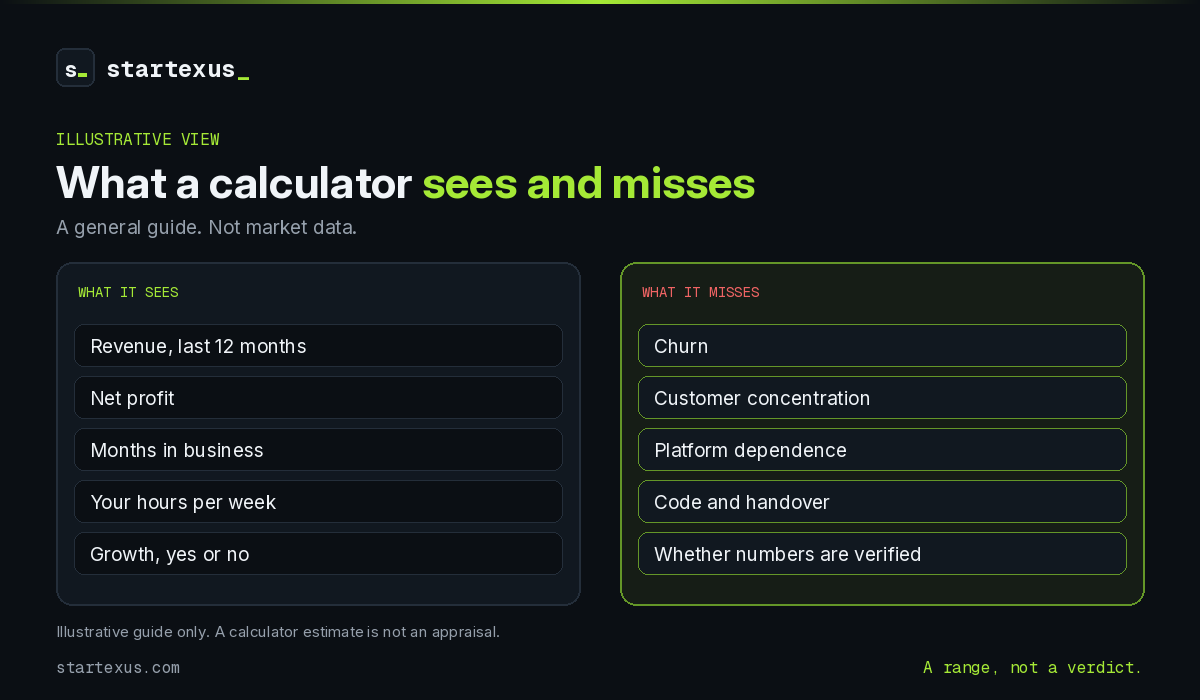
Most calculators take a few inputs and apply typical multiples for small online businesses. That is all they can do. They do not see your churn, your code or your customers.
- It can give a range. A rough low and high to frame the first conversation.
- It can show what moves the number. Change one input and watch the range shift.
- It cannot verify anything. It trusts whatever you type in.
- It is not an appraisal. Real offers depend on verified numbers, trends, risks and deal terms.
1. Gather clean inputs first
Garbage in, garbage out. Spend ten minutes on the inputs before you open the tool.
- Revenue. The last 12 months, pulled from your payment processor, not from memory.
- Net profit. What is left after hosting, tools, contractors and ads.
- Age. How many months the business has been operating.
- Your hours. How many hours a week you actually spend on it.
- Growth. Whether revenue grew over the last 12 months, honestly answered.
2. Use the right revenue figure
Revenue is where most people flatter themselves. Pick the figure a buyer would pick.
- Trailing 12 months. Real money received, not your best month.
- MRR times 12 only if it is stable. A spike from one annual plan is not recurring.
- Net of refunds. Buyers will see them in the processor data.
Worked example: $60,000 over the last 12 months is the input, even if December alone brought in $9,000. Illustrative numbers.
3. Be honest about profit and your hours
Two businesses with the same revenue can be worth very different amounts. Profit and owner time explain why.
- Profit. Higher margins support a higher price. Thin margins do not.
- Owner hours. A product that runs on five hours a week is easier to hand over than one that needs forty.
- Your own pay. If you do unpaid work a buyer would have to hire, say so and expect it to count.
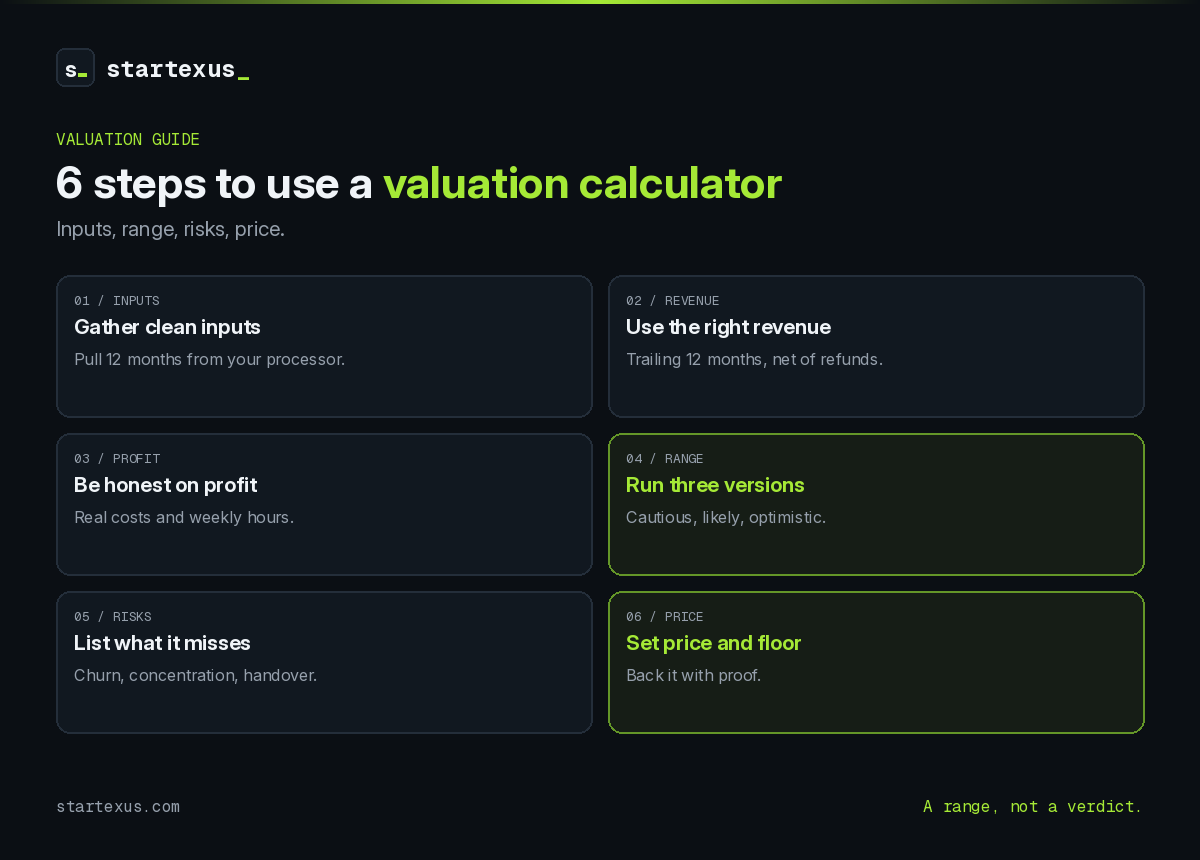
4. Read a range and test three versions
The result should be a low and a high, not one number. One run tells you little, so run it three times.
- Cautious. Use the lower revenue figure and no growth. This is what a careful buyer might pay.
- Likely. Use your clean trailing numbers. A reasonable place to open the conversation, not a promise.
- Optimistic. Use your best honest case, then ask yourself if you could prove it.
If the three results are far apart, your inputs are unstable. Fix that before you set a price.
5. Know where calculators go wrong
This is the part no tool can do for you. The risks below can move a real offer a long way, and none of them appear in a few input boxes.
- Churn. Customers leaving quickly make revenue less durable.
- Concentration. One customer or one channel making up most of the income is a risk.
- Platform dependence. Reliance on one app store, API or ad account can worry buyers.
- Code and handover. Messy code or missing documentation costs the buyer time.
- Unverified numbers. A buyer will price what they can confirm, not what you typed.
6. Turn the range into a real price
The calculator ends where the real work begins. Use the range to prepare, then let proof do the rest.
- Set an asking price and a floor. Know the lowest deal you would accept.
- Get proof ready. Payment reports, analytics and ownership documents back up your number.
- Ask a person. A human view of your business catches what a formula misses.
Your 15-minute valuation checklist
- Pull 12 months of revenue from your payment processor.
- Calculate net profit after real costs.
- Write down your true weekly hours.
- Run the calculator three times: cautious, likely, optimistic.
- List the risks the tool cannot see.
- Gather the proof a buyer will ask for.
- Set an asking price and a floor.
The bottom line
A calculator is a flashlight, not a verdict. It shows you roughly where you are standing. It does not tell you what a buyer will do.
Use it for the range, then back the number with proof.
Want a quick estimate? Try the free valuation tool, which gives an instant range from typical small-deal multiples, and you can request a free review from a person on our team. When you are ready to sell, list your business for free on StartExus, where there is no listing fee and no success fee, or browse current listings to see how others present theirs.
Tags
- online business
- valuation
- saas
- ai
- growth