
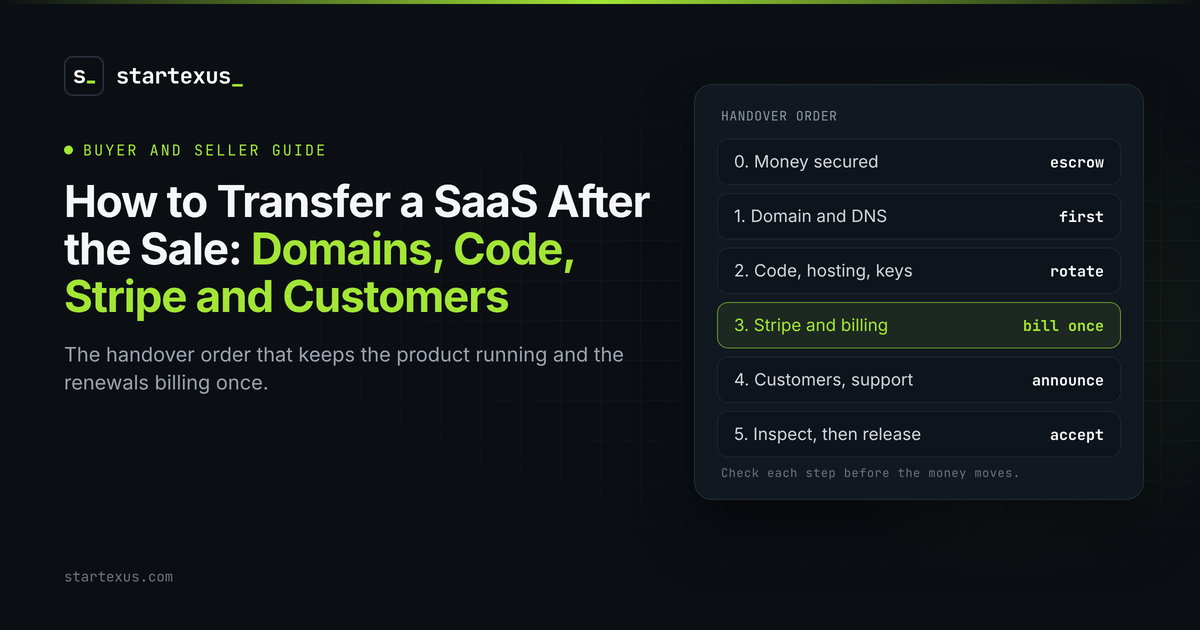
Buying a SaaS ends with a signature. Owning it starts with a transfer. The money can be in escrow and the agreement signed, and you still do not own the business until the domain, the code, the billing and the customers are actually yours.
Most small deals that go wrong after closing go wrong right here. A forgotten API key. A Stripe account nobody can move. Customers who get charged twice.
This is the handover order I would hand a friend on either side of a deal. The figures below are illustrative examples, not real listings.
1. Write the transfer list before anyone moves anything
The transfer is only as good as the list behind it. Build it during due diligence and attach it to the asset purchase agreement.
- Every account, by name. Registrar, repository, hosting, database, email sending, payment processor, analytics, app stores, social accounts.
- Who does what, by when. The seller initiates, the buyer accepts, each with a date.
- What stays with the seller. Shared tools, personal accounts and other products that use the same infrastructure.
- The money order. On StartExus we recommend closing through Escrow.com: the buyer funds escrow, the seller transfers, the buyer checks everything arrived, then funds are released.
On StartExus, the deal room includes a transfer checklist both sides track, so the list lives in one place.
2. Move the domain and DNS first
The domain is the business. Everything else, from email to login links, points at it.
- Same registrar is easiest. Most registrars can push a domain from the seller's account to the buyer's in minutes.
- Different registrar takes longer. The seller unlocks it and shares the transfer code. Expect a few days.
- Copy DNS records before you touch anything. A missing MX or TXT record quietly breaks email delivery and domain verifications.
- Watch for transfer locks. Registrars can block another move for weeks after a transfer or ownership change, so move it once, to the right account.
3. Hand over the code, hosting and keys
A buyer needs to deploy the product without asking the seller for anything.
- Transfer the repository. GitHub and similar services can move a repo to your account or organisation with its history intact.
- Move hosting and the database. Transfer the project, or redeploy on your own account and migrate the data.
- List every secret. API keys, webhook secrets, OAuth clients, email sending domains.
- Rotate after handover. New keys, new passwords, then check the seller is locked out.
- Prove it with a deploy. Ship a small change from your own account before you accept the transfer.
4. Move Stripe and billing without breaking renewals
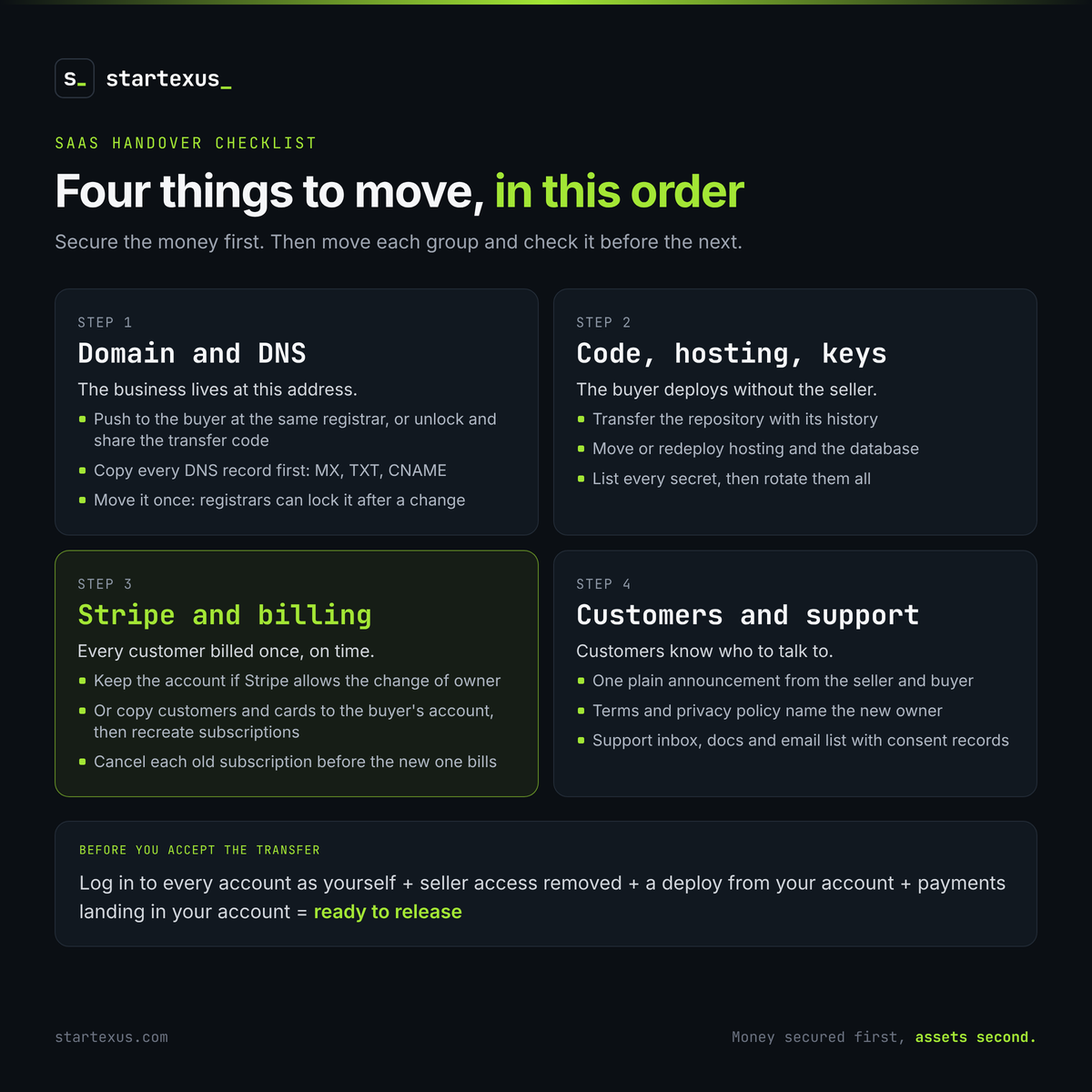
Billing is the hardest part, and the most expensive to get wrong. There are two paths.
- Keep the existing account. If Stripe agrees the account can move with the business, ownership and business details are updated and subscriptions keep running. Ask Stripe Support before you promise this in the agreement.
- Migrate to the buyer's account. Stripe can copy customers and saved cards to another account. It does not copy subscriptions, so they must be recreated in the new account.
- One live subscription per customer. Cancel each old subscription before the new one bills, never after.
- Update the app. New API keys, webhooks and price IDs, then test a real signup and a cancellation.
Worked example (illustrative, not a real listing): a micro-SaaS has 150 customers paying $12 a month, so $1,800 MRR. The buyer migrates to a new Stripe account and recreates the subscriptions, but the old ones are not cancelled. On the next renewal date, every customer is charged twice. That is $1,800 in duplicate charges to refund, 150 confused emails and a real risk of disputes. Cancel too early instead and you lose a month of revenue. The fix is a dated cutover: new subscriptions start the day after each old one ends.
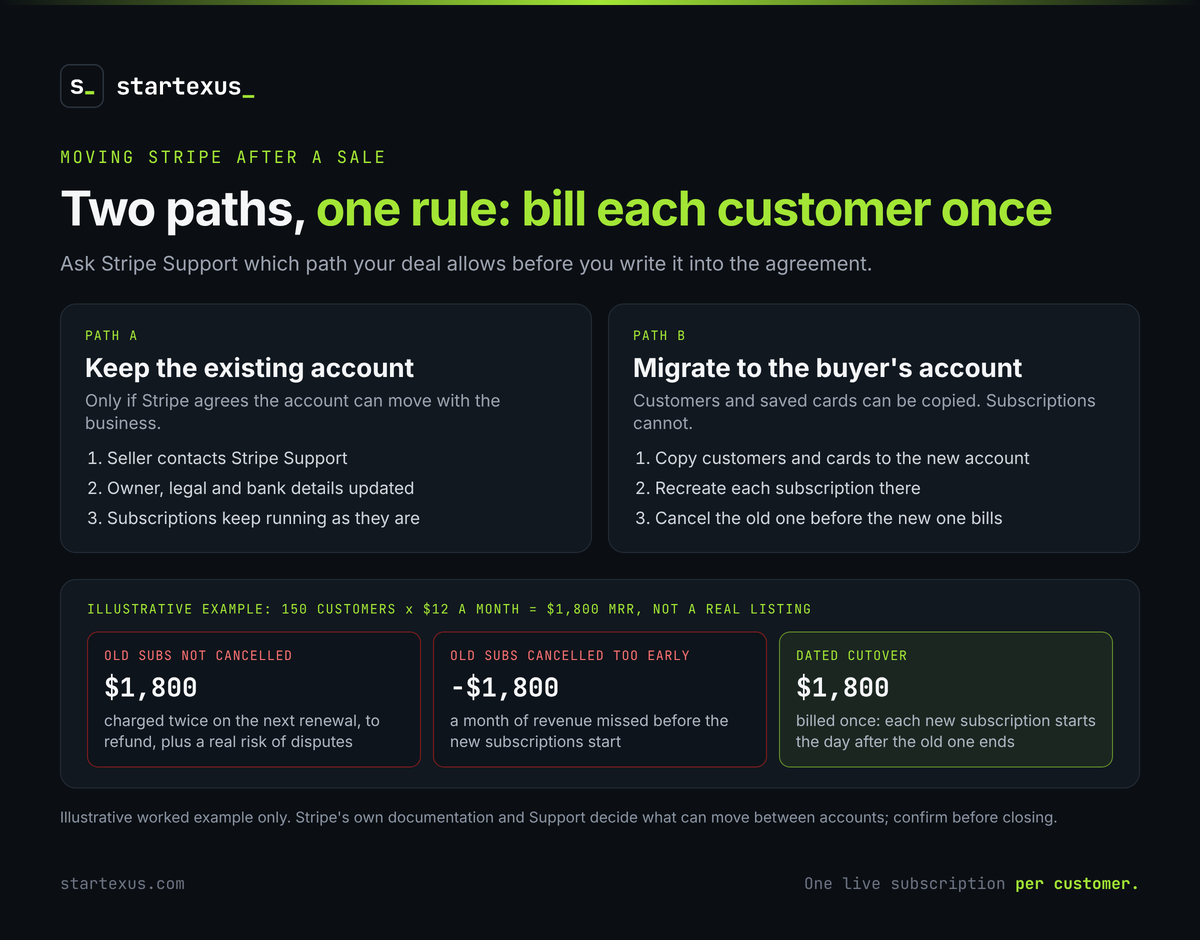
5. Tell the customers and take over support
Customers bought from a person or a brand. A short, honest note keeps most of them.
- Announce it once, plainly. Who the new owner is, what stays the same and who to contact.
- Update the legal pages. Terms and privacy policy should name the new owner. Get advice if you have customers in the EU or other strict privacy regimes.
- Move the support inbox. Plus help docs, saved replies and open tickets.
- Export the email list. Keep consent records with it.
6. Inspect, then release the money
Do not accept the transfer until you have checked it, account by account. Our escrow guide walks through the inspection period step by step.
- Log in to everything. Under your own name, with the seller's access removed.
- Watch payments land. New charges should reach your account, not the seller's.
- Book the handover support. The agreed weeks of seller help start now. Use them.
Common mistakes
- Starting the transfer before the money is secured.
- Moving the domain without copying the DNS records.
- Promising the Stripe account will move without asking Stripe.
- Running old and new subscriptions side by side.
- Leaving the seller's API keys and logins active.
- Accepting the transfer before deploying the code yourself.
The bottom line
A SaaS transfer is a checklist, not a ceremony. Domain first, then code and keys, then billing, then customers. Check each one before the money moves to the seller.
Sellers, a clean handover is part of what you are selling. Buyers, do not accept until you can run the business without the seller.
Ready for your next deal? Browse SaaS businesses for sale on StartExus, see how it works, or list your business for sale for free, with no listing fee and no success fee.
Tags
- due diligence
- saas
- ai